Software
Free 3D design software for 3D printing: which one to choose
Downloading models is fine, but a 3D printer becomes truly useful the moment you print something that didn't exist: the exact bracket for your shelf, the broken part of an appliance, a box made to measure. For that you need design software, and there are several good free ones. They aren't interchangeable: each is built for a kind of part and comes with its own terms. Here's which one fits you.
Two ways to model
Before choosing, it helps to know there are two families. Parametric programs (Onshape, Fusion, FreeCAD) build the part from dimensioned sketches and chained operations; FreeCAD puts it this way: you can go back into the model's history, change a parameter and the design rebuilds. They're the right tool for parts that have to fit with others. Mesh programs (Blender) work directly on the surface, like clay: perfect for figures and organic shapes, awkward for exact dimensions.
In the end, they all export the same thing for the slicer: a mesh in STL or 3MF. The difference is how you get there and how easy it is to change it later.
- You're starting out, or designing with kids Tinkercad blocks in the browser
- Parts with dimensions that must fit Onshape · Fusion · FreeCAD parametric
- Figures, characters, organic shapes Blender mesh and sculpting
- You like coding or want variants OpenSCAD code
- Text, lithophanes, keychains hotend tools no design needed
Tinkercad: for getting started (and for kids)
Tinkercad, from Autodesk, describes itself as a free web app for 3D design, electronics and coding, used by more than 100 million people. Nothing to install: you design in the browser by combining basic shapes (cubes, cylinders, letters) and subtracting “holes” to make openings and cut-outs. It's ad-free and kidSAFE certified, which is why it's so common in schools.
Its limit shows with technical parts: it doesn't work with a history of operations and dimensions like parametric programs do, and complex curved shapes fight back. For a keychain, an organiser or your first part, it's more than enough.
Onshape: professional CAD in the browser
Onshape is a full parametric CAD that runs in the cloud: according to its website, the free plan includes parts, assemblies, drawings, sheet metal and weldments, and works on a computer (Windows, Mac, Linux, Chrome) or on iPad, iPhone or Android. For functional parts it's among the best you can get for free.
The condition matters: Onshape presents the free plan as meant for non-commercial designs that are published openly online, for open-source projects, makers, hobbyists and people learning CAD. If you don't want your designs to be public, it's not your option.
Fusion for personal use
Fusion, also from Autodesk, is a parametric CAD that's widespread among 3D printing hobbyists, with design, some CAM and simulation in one program. It has a free version with terms Autodesk spells out: personal, non-commercial projects only, limited to individuals generating less than 1,000 US dollars a year, and not for primary employment, company environments or commercial training. It also trims features compared with the paid version: limited CAM, single-user data management, limited drawings and fewer import and export file types.
For designing parts and printing them at home it fits well. But its terms have changed several times over the years, so read them before committing to it if you might one day sell what you design.
FreeCAD: open source, no fine print
FreeCAD describes itself as an open-source parametric 3D modeller made primarily to design real-life objects of any size, with “no licensing fees, no vendor lock-in”. It runs on Windows, Mac and Linux, opens and exports STEP, IGES, STL, SVG, DXF and OBJ among others, and is on version 1.1. It's the only parametric option on this list with no usage conditions at all: you can use it for a business, and your files are yours and live on your computer.
The trade-off is its reputation as the hardest of the three parametric programs to learn. If it frustrates you at first, learning the logic of sketches and constraints in Onshape or Fusion and then moving to FreeCAD is a common path.
Blender: figures and organic shapes
Blender is free and open-source 3D creation software (GPL licence), built for animation, rendering and digital sculpting. For characters, miniatures, busts or anything closer to a sculpture than a mechanical part, there's no free rival. OpenSCAD's own website uses it as the example of a program focused on the artistic side rather than CAD.
What to watch when printing: that the mesh is closed with no holes, and that the units are millimetres on export. If the file comes out huge, reduce your STL's size explains how to cut triangles.
OpenSCAD: designing by writing
OpenSCAD is free, runs on Linux, Windows and Mac, and isn't an interactive modeller: according to its website, it's something like a 3D compiler that reads a text file describing the object and renders the model from it. It's aimed at machine parts, not artistic work. Its appeal is that a design is a formula: change the width on one line and you have another box, bracket or gear. Many “customisable” models on download sites are built this way.
And if you don't want to design anything
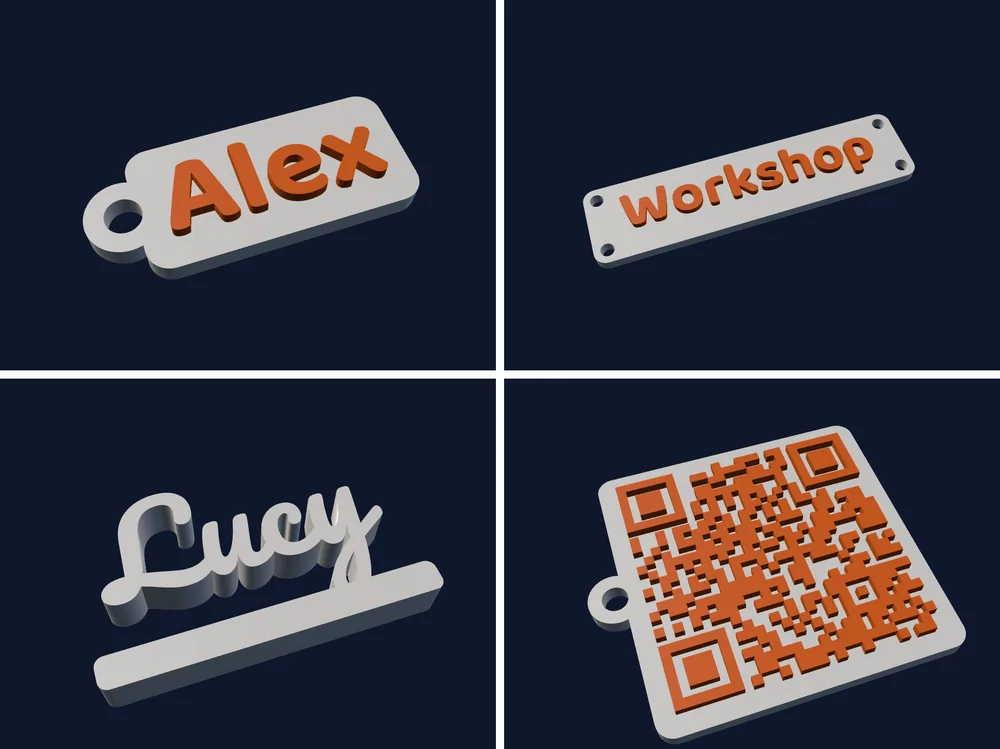
For many things you don't need CAD at all. With our tools, which run in the browser without uploading anything, you can turn text into a keychain or a 3D sign with the 3D text generator, a photo into a lithophane, or apply a Voronoi pattern to a model with the Voronoi generator.
From design to printer
Whichever you pick, the end is the same: export to STL or 3MF, open it in the slicer and check the dimensions are what you expected. If your part has to fit with another, leave clearance between them; we explain it with numbers in tolerances: how to make parts that fit. And if your program exports another format, the 3D file converter turns it into STL or 3MF.
Summary
| Program | Type | Where | Free, on these terms |
|---|---|---|---|
| Tinkercad | Basic shapes | Browser | Free for everyone |
| Onshape | Parametric | Browser and mobile | Non-commercial use, public designs |
| Fusion | Parametric | Windows and Mac | Personal non-commercial use, under $1,000/year |
| FreeCAD | Parametric | Windows, Mac and Linux | Open source, no conditions |
| Blender | Mesh and sculpting | Windows, Mac and Linux | Open source (GPL) |
| OpenSCAD | Code | Windows, Mac and Linux | Free software |
Frequently asked questions
- What's the easiest program to start designing in 3D?
- Tinkercad: it runs in the browser, it's free and you can learn it in an afternoon by combining basic shapes. When it falls short for parts with exact dimensions, the natural next step is a parametric program such as Onshape, Fusion or FreeCAD.
- Can I sell parts designed with free Fusion?
- According to Autodesk, the free version of Fusion is for personal, non-commercial projects only, and limited to people generating less than 1,000 US dollars a year. If you're going to sell, check its terms or use the paid version; FreeCAD is open source and has no such restriction.
- Are free Onshape designs private?
- No. Onshape presents its free plan as meant for non-commercial designs that are published openly online. If you need your designs to be private, that plan isn't for you.
- What format should I export to print?
- STL or 3MF, which every slicer opens. 3MF also stores units and can carry colours; if your program exports another format, our converter turns it into STL or 3MF in the browser.