Tool · free · in your browser
3D file converter
Convert between STL, OBJ, 3MF and PLY (and read GLB and glTF too) for free, no sign-up, instantly. Drop one or several files, see them in 3D and download the format you need; several come back together in a ZIP. Everything runs in your browser: your file is never uploaded to any server.
Files converted
Most-searched conversions
Which format do you need?
The four this tool reads all store the same thing — a triangle mesh — but they aren't for the same job:
- STL: the universal 3D-printing mesh format; geometry only, read by every slicer (Cura, PrusaSlicer, Orca). It's the safe bet when you don't know what the other person uses.
- 3MF: the modern format (Bambu Studio, Orca, MakerWorld) that stores mesh, colour and settings; sometimes won't open in older software.
- OBJ: a mesh format widely supported by 3D and design software (Blender, ZBrush).
- PLY: a mesh format common in 3D scanning and point clouds.
- STEP: a CAD solid (B-Rep) format that opens in FreeCAD, Fusion 360 or SolidWorks; turns your mesh into a faceted solid to take it into CAD.
What converting loses, and what it doesn't
Geometry always survives: the triangles that go in are the triangles that come out. What can be lost is everything else, and it depends on the pair:
- 3MF to STL drops the colour, the materials and the print settings it carried, because STL has nowhere to put them. It's the most requested conversion and the one people most regret: if the 3MF came from MakerWorld with the part already placed and configured, keep the original first.
- STL to 3MF doesn't conjure colour out of nothing: you get a modern container around the same mesh, ready for you to add settings in the slicer.
- Going to OBJ, remember an OBJ usually travels with a
.mtlfile holding its materials; here we export the mesh, not your whole Blender scene. - Going to STEP changes the nature of the file: mesh becomes CAD solid. The result is a faceted solid, each triangle turned into a flat face — it opens in FreeCAD or Fusion 360 and you can work with it, but it does not recover the original design's curved surfaces. Nothing can: that information was lost when the model became a mesh.
If the file is too heavy for your slicer, the problem isn't the format but the triangle count: fix that in reduce mesh. And if what doesn't fit is the part on the bed, in cut STL.
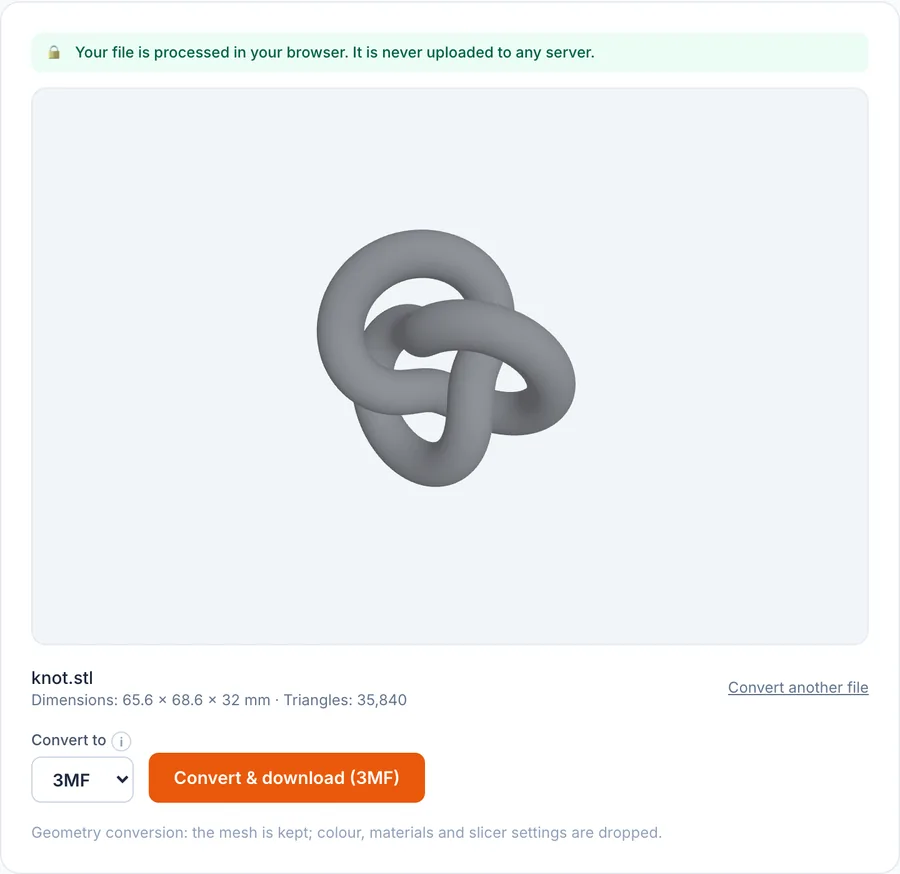
How big the same part is in each format
To compare them, we ran one STL of 35,840 triangles (a 66 × 69 × 32 mm knot) through this tool into each output format:
| Format | Size | Why |
|---|---|---|
| 3MF | 0.45 MB | Zipped XML, with each vertex stored only once |
| PLY (text) | 1.67 MB | Each vertex once, then the list of faces, as text |
| OBJ | 1.71 MB | Same idea as PLY, different syntax |
| Binary STL | 1.79 MB | 50 bytes per triangle, repeating its three corners every time |
| Text (ASCII) STL | 11.0 MB | The same STL written as text, as some CAD programs export it |
| STEP | 28.3 MB | Every triangle becomes a face of the solid, with its edges and points described in text |
The converter always writes binary STL; the text STL row is there for comparison, because it's the one that surprises people most. If you're sent an STL of many megabytes with few triangles, it's probably text: converted to 3MF it will take a fraction of the space. Other programs write each format their own way (with normals, colours or uncompressed), so their figures can differ.
What it does with your file
- It reads it in your browser with the three.js loaders: binary or text STL, OBJ, PLY and 3MF (which is a ZIP with an XML file inside).
- It keeps the geometry only, that is, where each triangle is. Colour, materials, textures, slicer settings and supports are dropped, and the tool says so under the button.
- It merges repeated vertices before writing OBJ, PLY or 3MF. An STL stores each triangle's three corners separately; without this step, the OBJ in the example would be about eight times bigger.
- It writes the new file: 3MF as a single object in millimetres, and STEP with each triangle as a flat face of the solid.
Units: the classic “it came out tiny”
Neither STL nor OBJ stores units, and slicers assume everything is in millimetres. If a part shows up 25.4 times smaller than expected, it was exported in inches; if it's a thousand times smaller, in metres. The converter copies the coordinates as they are, without rescaling, so the fix goes in the slicer: scale to 2,540% for inches or 100,000% for metres.
Nothing gets uploaded
The whole conversion happens in your browser. The file never travels to a server, never sits in a processing queue, and has no size limit imposed by us — the only limit is your machine's memory. Which is also why there's no account and no email to hand over.