Guide · 3D tools
3D printed Halloween decorations: lithophanes, lanterns and signs
Halloween is the perfect excuse to put your printer to work. Here are three decorations you can prepare in the browser, free and with nothing to install, using hotend's tools: a lithophane that reveals an image when lit, a voronoi lantern that throws cobweb-like shadows, and a two-colour keychain or sign. At the end, the one thing you should never do with a plastic part and a candle.
1. A lithophane that turns spooky when lit
A lithophane is a plate of varying thickness: thin where the image is bright and thick where it's dark. With the light off it looks like a grey relief; with a light behind it, the image appears. For Halloween it works beautifully with photos of carved pumpkins, because their faces are already bright areas on a dark background.
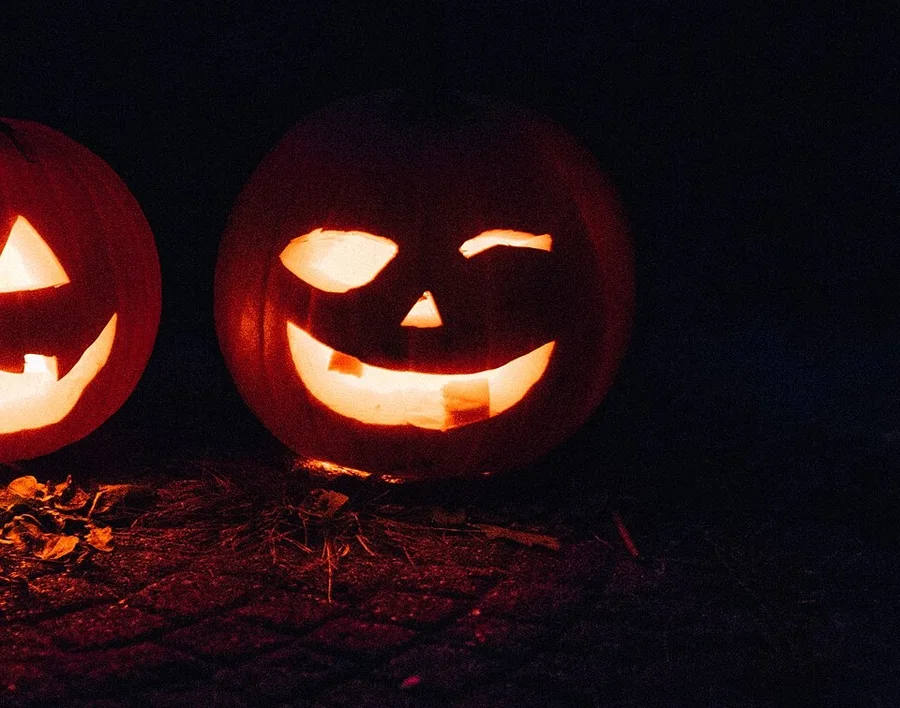
- Open the lithophane generator and drop your photo in. The image never leaves your browser.
- Keep the maximum thickness around 3 mm and pick the layer height you'll print with, so the thinnest area comes out as several solid layers.
- Check the relief in the viewer and download the STL.
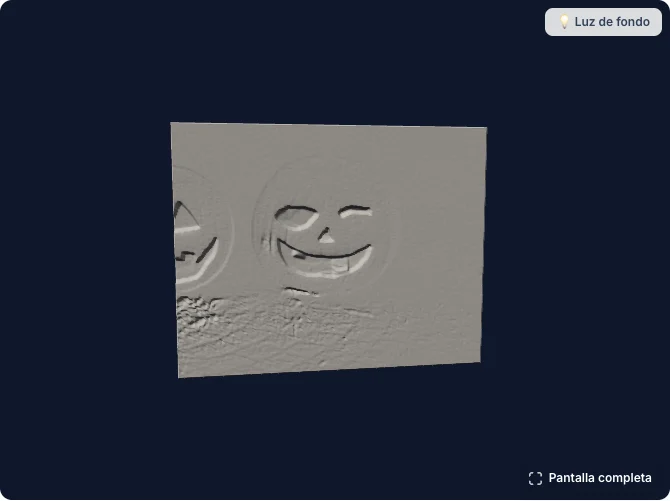
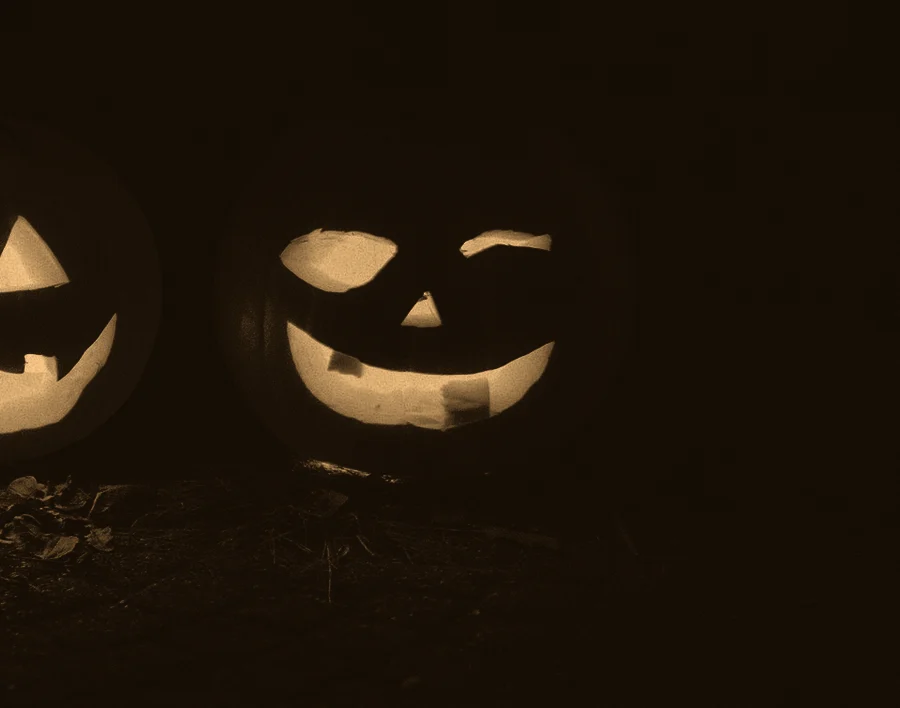
To print it, use white PLA, stand it upright with a brim so it doesn't tip over, and set infill to 100% so no pattern shows through. All the settings are explained in how to make a lithophane from a photo.
2. A voronoi lantern with cobweb shadows
The voronoi effect turns a model's surface into a network of hollow cells. With a light inside, each opening throws a shadow on the wall and the room fills with a pattern that looks like a cobweb. You can apply it to almost any closed shape: a vase, a sphere or a pumpkin downloaded from a model repository.
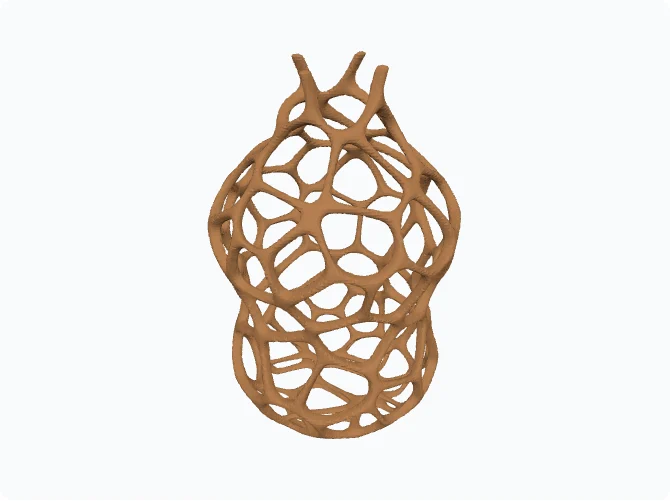
- Open the voronoi tool and load your model (STL, OBJ or 3MF). To see it first, the example builds this vase on its own.
- Adjust the cell size and strut thickness: large cells give bolder shadows; thicker struts, a sturdier part.
- If you want a solid base or area (to rest the light on, for example), paint it as a protected zone so the effect leaves it alone.
- Download the result and check in your slicer whether any cell needs supports before printing.
If you're coming from Meshmixer, the process will feel familiar: we compare them in a Meshmixer voronoi alternative.
3. A two-colour "BOO" keychain or sign
The 3D text generator makes a keychain or a plate ("Plate" mode) with raised text in seconds: type "BOO", your party's name or each guest's, pick the font and download the STL.
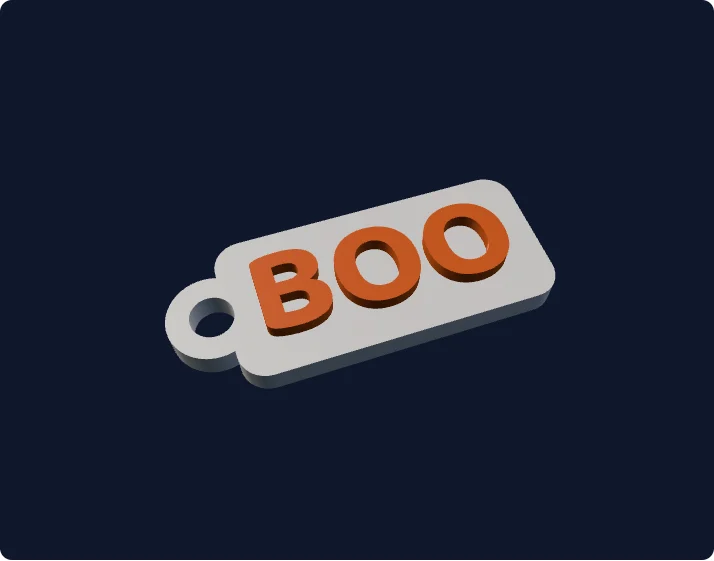
To get the text in another colour you don't need a multicolour system: print the base in black and pause the print at the first layer of the letters to switch to orange. We explain it step by step, slicer by slicer, in multicolour 3D printing without an AMS.
Which filament to use
- Lithophanes: white or natural PLA, always.
- Lanterns and signs: orange, black or purple PLA; PLA is the easiest material to print and more than enough for indoor decoration.
- Glow-in-the-dark filament: it looks amazing, but it's abrasive. Prusa explains that the additive that makes it glow (strontium aluminate) quickly wears down a brass nozzle, so you need hardened steel. If you're not sure which nozzle your printer has, see what is a hotend.
Safety: never a real candle
A PLA lantern and a lit candle are a bad mix. According to Prusa, PLA softens and deforms above 60 °C, a temperature a flame inside a lantern easily exceeds; plastic also burns. Use LED candles or an LED strip: same effect, no heat on the part, and you can leave it on all night.
Frequently asked questions
- Can I put a candle inside a 3D printed lantern?
- No. According to Prusa, PLA softens and deforms above 60 °C, and a candle runs far hotter than that; plastic also burns. Use LED candles: same effect, and they don't heat the part.
- Which filament should I use for the lithophane?
- White or natural PLA. White spreads light evenly and reproduces greys well; dark colours block it and the effect is lost.
- Can I print with glow-in-the-dark filament?
- Yes, but with a hardened-steel nozzle. Prusa explains that the additive that makes these filaments glow (strontium aluminate) is highly abrasive and quickly wears out a brass nozzle.
- Do I need an AMS for the two-colour sign?
- No. If the colours change with height (base in one colour, letters in another), you just pause the print at the right layer and swap the filament by hand.
Sources
- Prusa Knowledge Base — PLA (softens above 60 °C)
- Prusa Knowledge Base — Prusament PETG Ultraglow troubleshooting (abrasiveness of glow-in-the-dark filament)
- Wikimedia Commons — Carved pumpkin as face (CC0 photo by Beth Teutschmann)
- hotend tools: lithophanes, voronoi and 3D text