Guide · 3D tools
A Meshmixer voronoi alternative, no install needed
For years, the way to turn a model into a voronoi lattice was Meshmixer and its “Make Pattern → Dual Edges” feature. But Autodesk discontinued it, and anyone going back finds a program that no longer updates and breaks on modern machines. The good news: you can get the same effect free, in your browser, without uploading your file. Here's how.
What Meshmixer did (and why it no longer works)
Meshmixer was Autodesk's free swiss-army knife for repairing and editing meshes. Its party trick for the voronoi look was Edit → Make Pattern with the Dual Edges pattern: it took a solid and turned it into a network of open struts, perfect for lamps, planters and lightweight parts. The problem is Autodesk stopped developing it years ago; there are no new versions, installing it is a fight on current Windows and macOS, and the official download has been disappearing. It's a tool that survives on inertia alone.
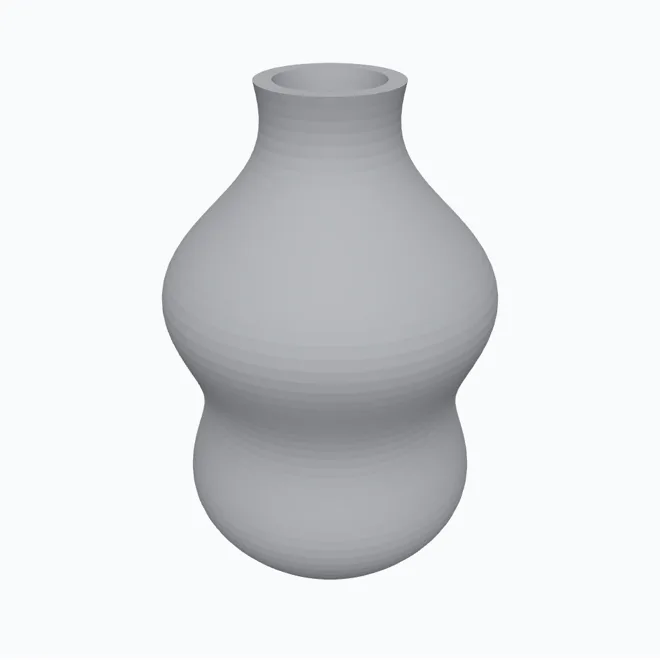 →
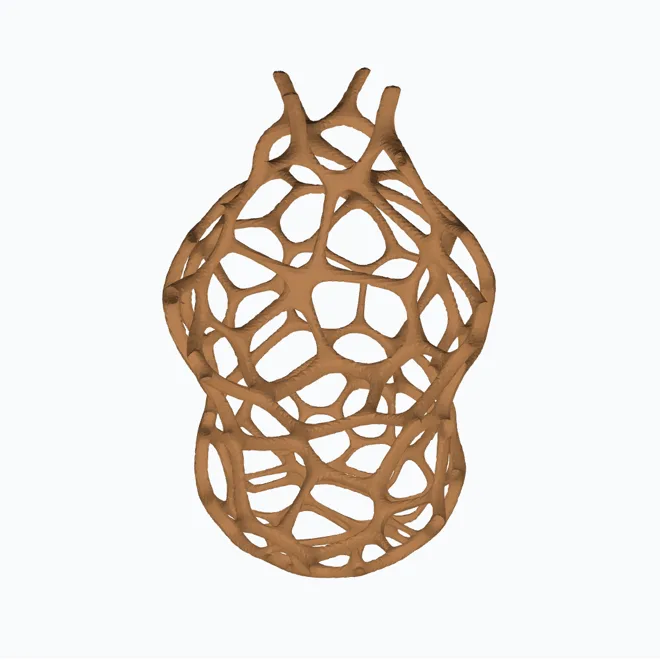
→ 
How to make voronoi now, step by step
hotend's voronoi generator does exactly that job, but in a browser tab:
- Open the voronoi generator and drag in your model (STL, OBJ, 3MF or PLY).
- Tune the cell size and strut thickness in real millimetres — the equivalent of the Dual Edges thickness.
- If some parts must stay solid (a lamp base, a thread, a logo), paint them on the model and the pattern will respect them.
- Hit “Generate voronoi”, compare before and after, and download the STL.
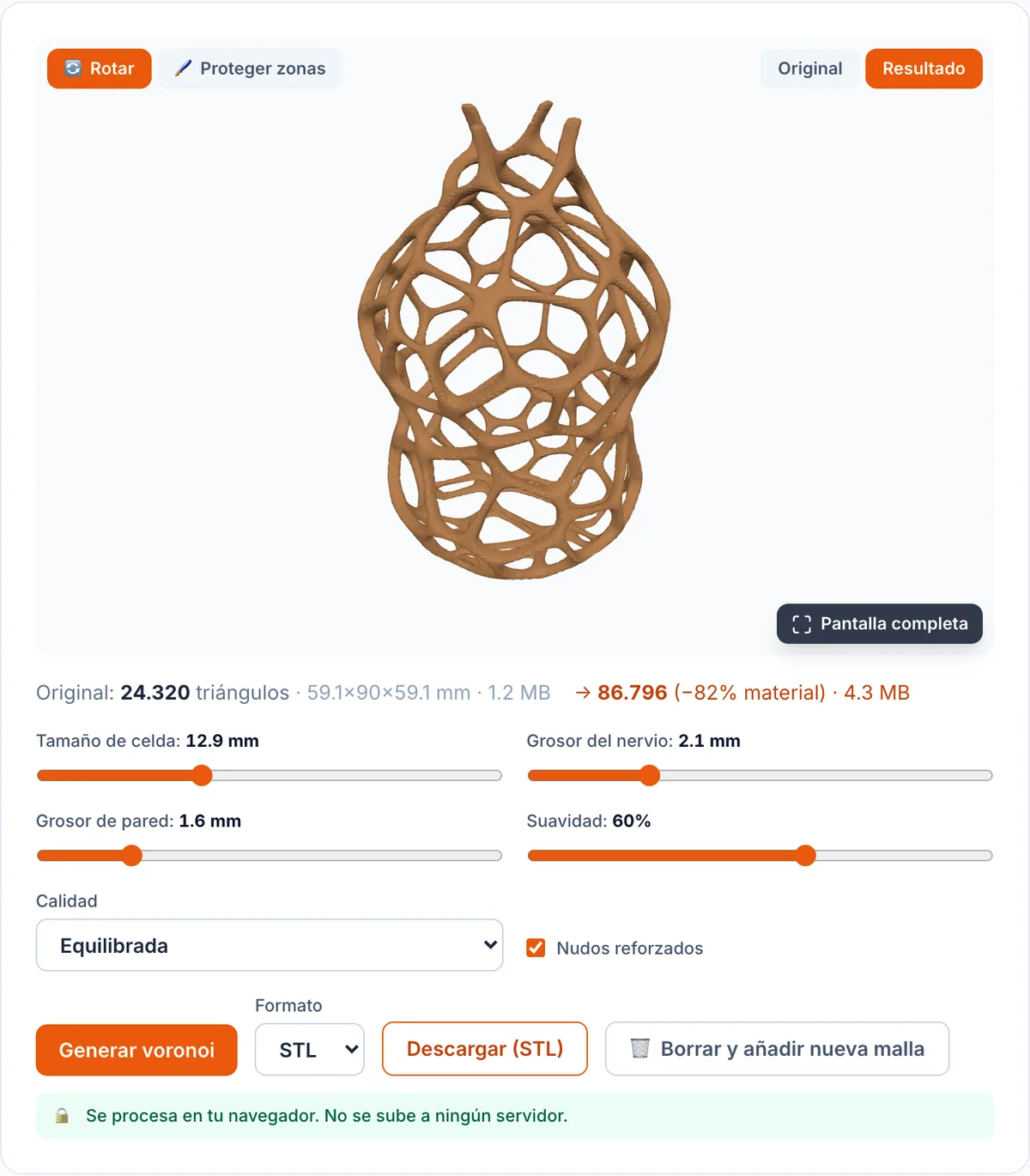
What you did in Meshmixer → how to do it here
| In Meshmixer | In hotend |
|---|---|
| Edit → Make Pattern → Dual Edges | Voronoi generator (drag and generate) |
| Element Dimension (thickness) | Strut thickness (mm) |
| Spacing / pattern density | Cell size (mm) |
| Select and protect geometry | Solid-zone brush |
| Install a desktop program | Nothing: runs in the browser |
Why the browser wins here
Beyond not installing anything, doing it in the browser has two concrete advantages over web alternatives that process server-side: your file is never uploaded anywhere (it's private and there's no upload size limit), and you control the parameters in real millimetres before downloading. And if you came looking for other ways to make printable pieces, check out the lithophane generator (a photo → an object that reads when backlit) or, if your voronoi STL comes out heavy, the mesh reducer.
The settings that actually matter
Three controls decide the result, all in real millimetres:
- Cell size: how big the holes are. Big cells = cleaner look and less material; small cells = more detail but more weight and print time.
- Strut thickness: the width of each “thread” of the network. For FDM, don't go below 0.8 mm (two passes of a 0.4 nozzle): below that, struts come out fragile or the slicer skips them.
- Wall thickness: how much material surrounds each hole. More wall = sturdier part; less = lighter and more translucent.
Start with a large cell and ~1 mm struts, see how it looks, and tighten from there. Working in millimetres means what you see is what you print — no abstract numbers.
Common mistakes (and how to avoid them)
- Struts too thin: gorgeous on screen, but they snap when you pop the part off. Bump to 0.8-1.2 mm for FDM.
- Forgetting the base: for a lamp or planter, paint the base (and the top rim) as solid zones so it stands well and light doesn't leak out the bottom.
- Impossible overhangs: a lattice has many bridges; print in a material that bridges well (PLA or PETG) and, for lamps, consider vase mode.
- Huge file: a dense voronoi multiplies triangles. If your slicer chokes, run it through the mesh reducer before printing.
Frequently asked questions
- Why can't I use Meshmixer anymore?
- Autodesk stopped developing Meshmixer and no longer maintains or recommends it. It still runs on older machines, but there are no new versions, it struggles on modern systems, and the official download has been fading away. That's why people look for an alternative for their voronoi workflow.
- How did you make voronoi in Meshmixer?
- With “Edit → Make Pattern”, choosing the “Dual Edges” pattern and tuning element thickness. It turned a solid into a lattice of struts. That's exactly what hotend's voronoi generator does, but in the browser with nothing to install.
- Do I need to upload my model to a server?
- No. hotend's generator computes the voronoi in your own browser, so your file never leaves your device and there's no upload size limit. Other web alternatives process server-side and force you to upload the STL (with size caps).
- Can I keep solid zones, like in Meshmixer?
- Yes. You can paint the areas that must stay solid (a base, a thread, some text) right on the model and the pattern respects them. It's the equivalent of protecting geometry before applying the pattern.
- Which formats does it accept?
- It reads STL, OBJ, 3MF and PLY, and downloads the result in any of those formats, ready for your slicer.