Concepts
What is Klipper and why so many 3D printers use it
If you've looked at recent printers, you've probably seen "Klipper" on more than one spec sheet. It's the firmware, the software that moves the motors, heats the nozzle and reads the sensors, and it has become the base of many fast mid-range machines. Here's what it is, how it differs from traditional firmware, and what it does and doesn't bring.
The idea: split the work
On a classic printer, the small microcontroller on the board does everything: it parses the G-code, calculates every move and drives the motors. Klipper splits that in two. According to its documentation, an application processor (such as a low-cost Raspberry Pi) works out when each motor has to step, compresses those events and sends them to the microcontroller, which only has to execute each one on time, with a precision of 25 microseconds or better.
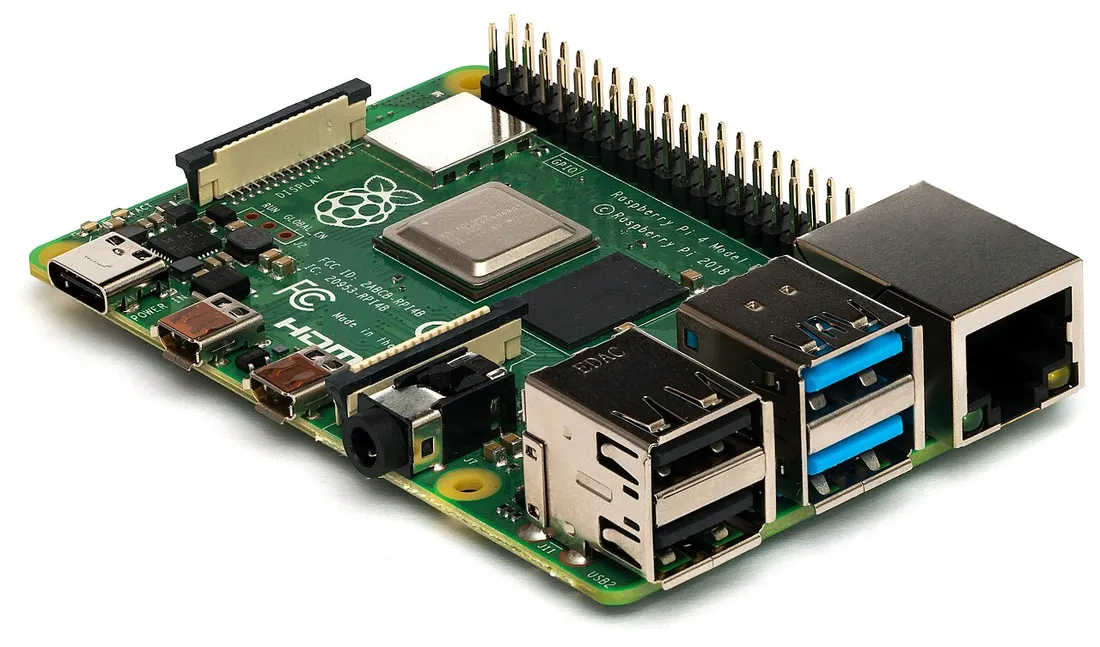
Freeing the microcontroller from the maths is what keeps movements precise at high speeds. Klipper can even drive several microcontrollers at once (one for the extruder, another for the heaters…), keeping their clocks in sync.
What it brings
- Input shaping. Reduces the effect of vibrations on the part, known as ringing or ghosting: the echo of edges that shows up on walls after a sharp change of direction. According to the Klipper documentation, it can also allow faster printing while keeping quality.
- Pressure advance. Compensates for the pressure inside the extruder: it reduces oozing during travel moves and improves corners.
- Configuration in a file. All settings live in a text file; changing one doesn't require reflashing the board.
- Macros. You can define your own commands in that same file, without touching the code.
- Control from the browser. It works with web interfaces such as Mainsail, Fluidd or OctoPrint, which usually run on the same computer as Klipper.
What it doesn't do (and the downsides)
- It doesn't fix the mechanics. The Klipper documentation itself warns that ringing usually has a mechanical origin (a frame that isn't rigid enough, loose belts, misaligned parts, a lot of moving mass) and that this should be checked first.
- Some features need tuning. Input shaping needs measurements and some calibration before it's enabled, sometimes with an accelerometer.
- It depends on how each brand integrates it. Many printers ship with a version of Klipper adapted by the manufacturer. In its Creality K1 review, Tom's Hardware lists Klipper among the pros but also criticises how it's integrated.
- It doesn't change the flow limit. However fast the printer moves, how much plastic the hotend can melt per second still rules, as we explain in how to print faster.
Which printers ship with it
Klipper has become the base of many fast machines. Among the ones in our catalogue we've checked against their sources:
- Sovol SV07 Plus: the 3DWithUs review tests it with Klipper and the Fluidd interface.
- Elegoo Neptune 4 Pro: Elegoo advertises pre-installed Klipper firmware.
- Creality Ender 3 V3 KE: TechRadar's review highlights its Klipper firmware.
- Creality K1: Tom's Hardware's review lists it among the pros.
Other brands, such as Bambu Lab or Prusa, use their own firmware, with equivalent features in many cases. For a specific printer, check its spec sheet and sources.
Frequently asked questions
- What is Klipper on a 3D printer?
- It's firmware: the software that drives the motors, heaters and sensors. What sets it apart is that it splits the work: a computer (a Raspberry Pi, for example) calculates the movements and the printer's microcontroller just executes them very precisely.
- Does Klipper make a printer faster?
- It can help. Its input shaping reduces the vibrations that cause ghosting and, according to the Klipper documentation, can allow higher speeds while keeping quality. But the limit is still the mechanics and how much plastic the hotend can melt.
- Which printers ship with Klipper?
- Several brands use it as their base. Among the ones we've checked: the Sovol SV07 Plus, the Elegoo Neptune 4 Pro (with Klipper pre-installed, per Elegoo), the Creality Ender 3 V3 KE and the Creality K1, whose Tom's Hardware review mentions Klipper.
- Do I need to know how to code to use Klipper?
- Not to print. On printers that ship with it, you use it like any other. Its settings live in a text file you can edit without reflashing the board, which makes tuning the machine easier, though editing that file does require knowing what you're doing.
Sources
- Klipper documentation — Features
- Klipper documentation — Resonance Compensation (input shaping and the mechanical origin of ringing)
- Klipper documentation — Pressure advance
- Tom's Hardware — Creality K1 Review
- TechRadar — Creality Ender 3 V3 KE review
- 3DWithUs — Sovol SV07 Plus review
- Elegoo — Neptune 4 Pro (official page)